Blog
What Are the Most Common Adult Website Design Mistakes for a Cam Site?
By Emily Thompson, Content Writer Published Updated 35 min read
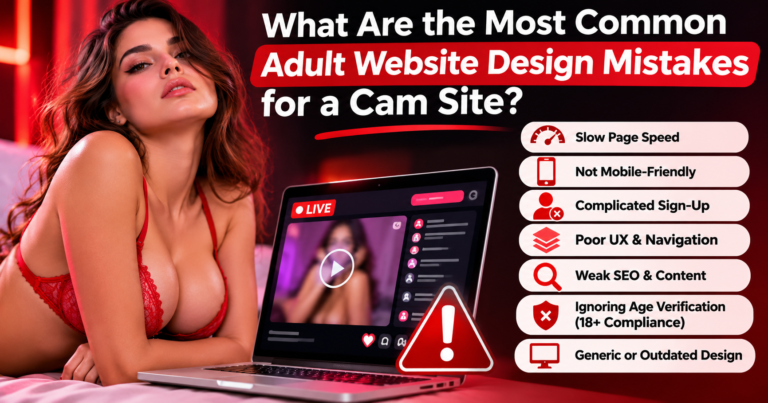
The most expensive cam site design mistakes rarely announce themselves as design problems. A visitor taps a room marked LIVE but finds an offline screen. A creator starts a broadcast and loses access to the controls on a phone. Search engines find thousands of filter URLs but overlook the profiles that make the platform worth visiting. The homepage may look modern, yet each failure interrupts a real task.
The answer: the most common Adult Website Design mistakes for a cam site are confusing discovery, unreliable stream playback, desktop-first mobile layouts, weak creator onboarding, unsafe access controls, uncontrolled URL generation, thin profile pages, poor privacy decisions and payment flows that do not match the platform’s rules. Fixing them requires product, infrastructure, trust and search teams to work from one plan, not separate cosmetic checklists.
A cam platform is not simply a video gallery with a chat widget. It is a search-and-discovery product, a real-time communications system, a two-sided marketplace and a security-sensitive account service operating at once. That combination makes ordinary web design shortcuts risky. An animation that looks impressive in a presentation may be unusable while a live stream buffers. A public profile template that works for a few creators may collapse when the site has thousands of changing online statuses.
A useful review of cam site website design mistakes must therefore test both the visible experience and the systems behind it.
This guide is written for platform owners, technical teams, marketing managers and webcam businesses evaluating a redesign. It explains the failure, how to recognize it, what to change and how to decide which fix matters first. It does not assume that a particular provider, processor, host or advertising channel will approve adult material. Those permissions and requirements must be checked against current terms and the markets where the platform actually operates.
The quick diagnostic: where most cam platforms fail
Before paying for another homepage redesign, ask whether each public page helps a visitor discover someone relevant, understand whether they are available, and take the next permitted action. At the same time, ask whether the creator has reliable controls and the operator can enforce its rules. Those four perspectives expose problems that desktop screenshots miss.
| Area | Typical mistake | Visible symptom | First useful test |
|---|---|---|---|
| Discovery | Too many competing menus and filters | Users open several rooms without finding a match | Test a first-time visitor’s path to a relevant live profile |
| Streaming | One playback configuration for every connection | Long startup, stalls or extreme delay | Test different devices, regions and network conditions |
| Mobile | Desktop room squeezed onto a narrow screen | Chat or stream controls cover one another | Run complete journeys on a mid-range phone |
| Search | Empty JavaScript shell or unlimited filtered URLs | Profiles are missing or duplicated in search | Inspect rendered HTML and crawlable URL samples |
| Trust | Weak verification, reporting and privacy controls | Unsafe content or sensitive information exposure | Audit each role, upload and moderation workflow |
| Payments | Billing rules introduced after the interface is built | Failed checkout or unclear entitlements | Test approved processor flows with real product states |
A visually attractive platform can fail every row. Conversely, a restrained interface can succeed if it consistently answers important questions and gives people predictable controls. The purpose of this article is to replace subjective aesthetic feedback with observable product failures.
Why cam site design is different from an ordinary adult website
A prerecorded video page has a relatively stable asset, a description and a playback action. A live cam room changes state. The performer may go online, offline, pause, become unavailable, or move between room types. Viewers may chat, send tips, report misuse or leave to browse another category. The content and interaction have to stay synchronized as those states change.
This affects architecture. A visitor-facing directory benefits from fast, browseable profiles that remain meaningful when no one is broadcasting. The interactive room needs low-latency media where conversation depends on near-real-time feedback. The account area requires strict authorization and private data handling. Payments and moderation have their own states and permissions. A single page template cannot responsibly handle every job in the same way.
There is also a search boundary. Google can process JavaScript, but it still needs discoverable URLs and useful rendered content. Its JavaScript SEO guidance explains the crawl, render and index process, while its explicit-content guidance explains how adult content and SafeSearch intersect. Public promotional information and restricted live/private activity should be deliberately separated. Search visibility does not require exposing private sessions.
A team looking at Cam Site UX Best Practices should therefore test five journeys: a new viewer browsing, a returning viewer finding a favorite, a creator joining and broadcasting, a moderator responding to a report, and a search crawler reaching a public profile. If even one is missing from the design brief, the launch is incomplete regardless of the color palette.
Mistake 1: copying a tube site or subscription platform instead of designing a live marketplace
The first mistake is copying a successful-looking interface without copying its underlying purpose. A tube site focuses on browsing prerecorded clips. A subscription service focuses on a creator’s paid library and community. A cam site depends on who is available now and what actions are possible in the current room. Borrowing the wrong design pattern means visitors spend time learning a structure that does not match their goal.
For example, placing a large carousel of historic thumbnails above all live rooms makes sense for an archive but can bury the most relevant active creators. A subscription-style creator profile may emphasize a static content feed while hiding the live status. A general adult marketplace may have elaborate categories yet no fast path back to a room the viewer has visited before.
How to fix it: write the core task before drawing the layout. For the lobby it might be, “Find a relevant live room quickly.” For a profile, “Understand this creator and their current availability.” For a creator dashboard, “Start, manage and safely end a broadcast.” Put the most time-sensitive information where it is seen first, with historical or promotional features supporting rather than replacing the live journey.
Measure time to a valid room, time to first interaction and the number of abandoned discovery sessions. Segment by new and returning visitors rather than using one engagement number. The right layout is the one that reduces friction for the chosen product model, not the one that most resembles a large competitor.
Mistake 2: making live status unclear, misleading or inconsistent
A status badge is not decorative. It is a promise about what happens after a tap. If the lobby says “Live” while the room shows “Offline,” trust falls immediately. This commonly happens when thumbnails, search indexes and room services update on different schedules. Cached pages may continue advertising availability after a broadcast has ended.
A platform should define a small, consistent state model: online, offline, preparing, temporarily unavailable and restricted or private where appropriate. It should not call every creator “live” simply to fill the homepage. If a session becomes unavailable while someone is viewing the profile, explain the change and provide useful alternatives. The room should never silently change a viewer’s entitlements or display a payment action that no longer applies.
How to fix it: establish one authoritative source for room status, use short cache lifetimes for time-sensitive badges, and update interface states with reliable events or polling. Reconcile statuses when a connection drops. Pair icons with plain text so color alone is not the signal. When no stream is available, keep the public profile informative with a verified biography, appropriate schedule and related public pages.
Measure the mismatch between lobby and room states, the proportion of failed room entries and the delay from status change to interface update. This single reliability metric often tells an operator more than a dramatic redesign mock-up.
Mistake 3: turning the lobby into a wall of thumbnails, pop-ups and promotions
More choices do not automatically mean better discovery. A lobby packed with dozens of moving previews, overlapping banners, unsolicited sounds and several primary calls to action creates a competition for attention. On mobile, each extra video or third-party script can consume scarce bandwidth and processing time. A visitor may abandon the page before knowing what the site offers.
The right solution is not to remove every commercial feature. It is to establish a clear hierarchy. Put the relevant search and filter controls where users expect them. Give each card a stable thumbnail, readable creator name and current status. Keep sponsorship labels honest. Reserve space for ads so the grid does not jump when they load. Avoid promotions that conceal the close control or block the main task.
How to fix it: run a content inventory and assign each surface a purpose. If two modules serve the same purpose, test removing one. Load still images before expensive previews; request media only when there is a clear user need. Reduce simultaneous animation. Allow users to dismiss overlays, and never hide material subscription or payment information inside promotional widgets.
Success is not a higher number of impressions per pageview. Look for a faster first meaningful action, fewer unintended taps and better navigation on low-bandwidth devices. The platform is easier to monetize when its underlying journey is understandable.
Mistake 4: treating mobile optimization as a smaller desktop layout
Mobile Optimization for Cam Sites is an interaction redesign, not a CSS scaling exercise. A desktop room may comfortably show video, chat, creator information, tipping controls, navigation and moderation actions side by side. On a narrow screen, those panels compete for the same area. Shrinking every component leaves text unreadable and targets difficult to tap.
Start with task priority. A mobile viewer needs clear playback controls, a visible way to reach chat, transparent transaction details and an easy route back to discovery. A creator needs camera and microphone status, stream health, a start/stop control that cannot be tapped accidentally and access to reporting or assistance. These are different roles and should not share an identical collapsed layout.
How to fix it: design narrow-screen journeys before polishing desktop. Test safe areas, landscape orientation, keyboard opening, browser UI bars and changing network conditions. Use responsive player dimensions without stretching media. Keep essential controls in reachable locations, preserve sufficient target sizes and avoid modal stacks. A floating action bar may help, but it must not cover captions, payment amounts or reporting controls.
Test at least one low-cost Android device, one iPhone-sized viewport and one large device. Reproduce real tasks, not just screenshot checks: choose a room, rotate the screen, type a message, recover after losing connectivity and return to a creator. W3C’s WCAG quick reference provides useful checks for targets, focus and readable interactions.
Mistake 5: assuming every browser will autoplay video with sound
A lobby filled with autoplaying streams can feel active in a designer’s controlled demo. In real browsers, audible autoplay may be blocked until the user interacts with the page. It can also create a privacy problem for a visitor whose device unexpectedly plays sound. Fallbacks matter more than assuming a preview will work everywhere.
According to MDN’s autoplay guide, browsers commonly restrict autoplay of audible media. Muted previews may be possible under certain conditions, but policies differ. Design a card so it remains intelligible when media does not start. The thumbnail, title and status must carry the primary information without motion.
How to fix it: make sound opt-in, supply a clear play action, reserve preview space and handle playback promise failures visibly. Do not repeatedly attempt autoplay after rejection or disguise the state as a loading failure. Pause or unload previews that leave the viewport. Respect reduced-motion preferences for decorative animation.
Measure how often previews fail, whether the failures cause incorrect “offline” messages and whether the page becomes slower as more cards appear. This is a UX issue and a technical one: a page that requires autoplay to communicate its meaning is fragile by design.
Mistake 6: selecting a streaming protocol without defining the interaction requirement
Live Streaming Website Performance begins with a product decision: how quickly must video and user actions reflect one another? A passive broadcast can tolerate more delay than a two-way conversation. Choosing technology solely because a vendor promises “HD streaming” ignores latency, scale, regional reach, recovery and cost. Conversely, choosing the lowest latency at any price may be unnecessary for noninteractive previews.
WebRTC is commonly used for real-time communication, and browser camera access has specific security and permission requirements. HTTP Live Streaming (HLS) is a widely supported delivery approach that can use adaptive bitrate playback and content distribution infrastructure. Cloudflare’s WebRTC overview and HLS explainer describe their different strengths. AWS also documents low-latency HLS workflows, although real performance depends on configuration and network conditions.
How to fix it: define acceptable join time, glass-to-glass latency, viewer scale and failure behavior for each mode. Separate one-to-many previews from interactive rooms where justified. Test upstream network quality as well as downstream delivery. Require adaptive quality or an equivalent recovery strategy when bandwidth changes, and ensure the UI can report buffering or reconnection without misleading the user.
Ask hosting and streaming vendors for measured latency at target regions, bandwidth pricing, concurrency limits and support for failure scenarios. An architecture diagram without operational testing does not prove that a platform can handle a real audience.
Mistake 7: designing only for a perfect connection and a permanently healthy stream
Every real-time system experiences interruptions. Mobile users switch from Wi-Fi to cellular data. Creators lose upstream bandwidth. A live room may continue to exist after the video stops delivering. If the product offers only a spinning icon, visitors cannot tell whether they should wait, retry or leave. A creator cannot distinguish a camera-permission problem from a platform outage.
How to fix it: treat failure states as first-class components. Include meaningful notices for connecting, buffering, reconnecting, broadcast ended, permission denied and region unavailable. Keep chat and payments from showing contradictory states when the video fails. When safe to do so, offer a bounded retry path and a back-to-lobby action. Record stream errors without exposing private session content or sensitive viewer data to troubleshooting logs.
For creators, provide a stream-health panel with connection quality and clear device status. For viewers, allow a lower-bandwidth quality option or automatic adaptation. Test a connection loss at the beginning, middle and end of a session. Measure join failures, stalls per viewing minute, reconnection success, and the rate of payment actions interrupted by a stream event.
A promise that a service will “never buffer” is not credible. A better promise is a platform that recognizes failures, provides useful feedback and restores a safe state.
Mistake 8: allowing heavyweight media to dominate the first page load
A beautiful hero can become a speed liability when the browser downloads multiple large previews, fonts, scripts, advertisements and image galleries before displaying the first useful control. A cam site may load more media in one viewport than a conventional brochure site loads on an entire page. This affects battery use, mobile data and perceived responsiveness.
Use Core Web Vitals as part of a broader performance review. Google’s recommended “good” thresholds at the 75th percentile are Largest Contentful Paint of 2.5 seconds or less, Interaction to Next Paint of 200 milliseconds or less, and Cumulative Layout Shift of 0.1 or less. These metrics assess page experience, not stream latency or product usability by themselves.
How to fix it: compress images, select responsive sizes, reserve dimensions for media tiles, postpone below-the-fold resources and remove redundant JavaScript. If a poster image is the page’s largest visible element, prioritize it appropriately; do not indiscriminately lazy-load the first screen. The web.dev video performance guide discusses poster images and preload behavior. Streaming start time should be measured separately from page LCP.
Analyze field data from mobile visitors and test the lobby, profile and live room independently. A fast marketing homepage does not compensate for a sluggish interactive room. Performance budgets should include third-party chat, analytics and advertising scripts, not just the site’s original JavaScript.
Mistake 9: creating search and filters that look useful but lead nowhere
Search is often the real homepage of a large cam platform. Users arrive with a preference for a creator, language, time window or category. A decorative search box that returns stale profiles, ignores spelling variants or makes every selection reset on mobile creates a broken promise. The filter structure also affects whether pages remain usable when creators move between live and offline states.
How to fix it: start with the attributes genuinely available in the platform database. Use clear labels rather than internal taxonomy names. Support a sensible no-results state, preserve user selections when appropriate, and allow the filter panel to close without losing context. On mobile, show selected filters and a reliable reset option. Avoid inaccessible custom controls that work only with a mouse.
Decide separately whether search-filter combinations should become indexable URLs. Most combinations are useful for visitors but not distinct enough for search. A relevant, curated category page may merit its own public URL; a six-parameter combination with two unstable results probably does not. This distinction prevents a usability feature from becoming an SEO liability.
Review no-result searches, repeated filter resets and the percentage of visitors reaching a room after using search. These indicators tell a product team where the taxonomy or interaction fails, even when the search engine rankings appear healthy.
Mistake 10: hiding the important page behind a JavaScript-only application shell
A platform can display a perfect directory in a human browser yet give a crawler little useful content in the initial response. This is especially common when public profile descriptions, titles and internal links appear only after an API call or when an offline creator is treated as if the page no longer exists. Search systems can render JavaScript, but relying entirely on that step creates avoidable points of failure.
How to fix it: server-render or pre-render public category and profile content where appropriate. Deliver a meaningful title, name, original summary, status explanation, canonical URL and crawlable links in the HTML response. Keep dynamic status updates in JavaScript, rather than making the entire identity of the page depend on an active stream. Check the rendered page in Search Console URL Inspection, not just the browser developer view.
A public profile needs to remain meaningful when the creator is offline. Do not generate empty templates with only a spinner. Google’s JavaScript SEO basics explain why server-side rendering can benefit users and crawlers. The business goal is consistent discovery of genuinely useful public pages, not the indexing of account dashboards, live transaction states or restricted private sessions.
A properly scoped Webcam Platform SEO Guide must distinguish these page classes before recommending more keywords or new backlinks. Search performance is shaped by architecture decisions made long before an SEO campaign starts.
Mistake 11: allowing every filter combination to create an indexable page
A search filter may produce a useful visitor experience and a terrible search architecture at the same time. Language, location, status, category, age range, popularity and sorting options can create a huge number of almost identical URLs when multiplied together. The crawler may spend resources on unstable combinations while important public profiles and curated categories receive less attention.
Google’s faceted navigation guidance explains how parameter-based filters can generate effectively unlimited URL spaces. The solution is not to block every filter or publish every permutation. It is to classify which pages have lasting search purpose. A human-curated category with distinct information may deserve indexing. A temporary result set that changes whenever someone starts streaming usually does not.
How to fix it: define an indexation policy by page type. Set clean canonical URLs, use deliberate internal links, keep sitemaps focused on valuable public pages and test parameter rules before rollout. When filtering should remain a client-side convenience, avoid advertising each combination as a new searchable landing page. For legitimately indexable categories, write specific, useful introductions rather than changing a keyword in the same template.
The real test is whether a searcher would benefit from landing on the URL even when half the creators are offline. If the answer is no, it may be a filter state, not a standalone SEO destination. This is a central part of Webcams SEO, but it also improves crawling efficiency and user navigation.
Mistake 12: publishing empty or duplicated creator profiles
A webcam profile should help someone recognize the right person and decide whether to return when they are available. Too many platforms publish pages consisting of a name, an identical promotional paragraph and a generic “Join now” button. Some delete profiles as soon as a creator is offline, leaving external mentions and bookmarks pointing to missing pages. Both approaches lose the value of stable identities.
A better profile can include an approved public stage name, truthful biography, languages, general schedule or availability expectations, relevant categories, accessible media descriptions and links to other approved public resources. That information must come from the creator or verified platform data. Never invent expertise, personal stories, locations, reviews or availability to produce “unique content.” Where creator privacy requires limited disclosure, write less rather than manufacturing details.
How to fix it: design the public profile as a persistent resource, with a clear offline state and no promises of instant access. Provide a manageable editorial workflow so creators can review their own public descriptions. Clean up duplicate IDs and redirects when performers change stage names. Keep sensitive identity-verification data entirely outside public pages and search indexes.
Good SEO for webcam models is partly about consistent naming and a meaningful page, not stuffing a stage name into every heading. EMA’s webcam SEO service covers platform and model visibility as related but distinct problems. A public page can be discoverable without revealing a performer’s private identity.
Mistake 13: treating age controls and search visibility as unrelated systems
An age gate belongs in the product and compliance architecture, but a careless implementation can also leave search crawlers unable to access even ordinary public information. The reverse mistake is equally serious: removing safeguards in pursuit of traffic or letting restricted content leak through previews, cached images or public URLs. Neither extreme is a sustainable design choice.
Google’s explicit-content guidelines discuss age gates, crawler access, explicit labels and SafeSearch. They also recommend content-safety processes for sites that accept user-generated content. Those search recommendations are not a substitute for applicable age-assurance, consent, privacy and content restrictions. Operational teams need to determine what can be displayed publicly, what requires a verified adult session and what must never be indexed.
How to fix it: create a documented public/private content map with product, security and qualified compliance input. Public profile text, general help pages and permitted marketing information may have different access rules from video, user identity files, accounts and private rooms. Verify how legitimate crawlers interact with publicly indexable material without weakening real-user safeguards or exposing restricted media. Mark explicit material accurately where appropriate.
Do not promise that a metadata tag will defeat SafeSearch or that every public live video will receive a rich result. Google’s classifications, eligibility rules and user settings can limit visibility even when markup is valid. The success criterion is correct boundaries and accurate labeling, not maximum exposure at any cost.
Mistake 14: making content reporting and moderation an afterthought
A platform that accepts uploads, chat and live broadcasts needs a functional trust-and-safety operation, not a report link buried in the footer. Users should know how to report prohibited content or harassment, how to block abusive accounts and where to find support. Moderators need the authority and tooling to respond without indiscriminately exposing private data to other staff.
How to fix it: include visible reporting controls in the room, profile and account flows. Design clear categories, acknowledgment messages, escalation routes and a review log. Establish publisher verification, prohibited-content rules and prompt removal processes. Maintain appropriate technical controls to detect and prevent child sexual abuse material and non-consensual content, with the necessary specialist review and reporting processes. These are not optional aesthetic considerations for a legitimate operator.
Moderation tools should support role-based access, audit trails, evidence preservation where required, controlled data retention and emergency action. Staff should not be able to browse all private sessions merely because they have access to a general dashboard. Test the difference between a viewer report, a creator appeal, an urgent removal and an automated flag. They have different consequences and deadlines.
A useful design exercise is to follow a report from first tap to closure. If the person submitting it cannot tell that the request was received, or the moderator cannot identify the correct room and time without searching through unrelated data, the feature is not finished. Trust and safety should be part of acceptance testing before a platform acquires traffic.
Mistake 15: building the viewer experience while neglecting creator onboarding
A cam marketplace depends on two sides. Viewers may have a beautiful homepage while creators face confusing registration, unclear requirements, unstable devices and no explanation of how their profile becomes visible. A site cannot maintain a reliable live directory if the supply side struggles to complete onboarding. Creator frustration also leads to outdated or incomplete public profiles.
How to fix it: separate creator application, verification, public profile setup, device testing and the actual start-broadcast action. State the current requirements before collecting sensitive documents. Give clear feedback on what has been submitted, what remains under review and who can help. Do not infer consent from an unchecked box or treat identity checks as public marketing information. Verification workflows should be scoped to the actual jurisdictions, business arrangements and payment-partner requirements.
Provide a device diagnostic before a creator goes live: camera, microphone, lighting or image quality, connection status and permission prompts. Browsers require explicit user permission for camera and microphone access, and MDN’s getUserMedia documentation explains the HTTPS and secure-context requirements. If permission fails, offer human-readable troubleshooting rather than an unexplained blank player.
The operator should measure application completion, time to an approved profile, first successful broadcast and reasons for technical abandonment. These are more actionable than counting total registrations. Creator-side usability is one of the most overlooked Cam Site Development Features in early project briefs.
Mistake 16: relying on basic HTTPS while ignoring account and session security
HTTPS is necessary, but it does not make a webcam platform secure. Security also depends on who can view or change data, how sessions expire, what a payment callback can modify, how files are processed and whether one user can access another person’s information by changing an ID in a URL. A visually reassuring padlock icon does not answer any of those questions.
Start an Adult Website Security Checklist with authentication, authorization, account recovery, session management, file uploads, API access, logging, encryption and vendor access. Use role boundaries for viewer, creator, moderator, finance and administrator accounts. Sensitive identity-verification files and private communication records need stricter access than public profile fields. Follow data-minimization and retention requirements that apply to the operation, not arbitrary “save everything forever” defaults.
How to fix it: test authorization on the server, not only by hiding buttons in the interface. Use strong authentication and appropriate multi-factor protection for privileged accounts. Limit session lifetimes, rotate credentials, protect webhooks and separate administrative environments. Apply security review before deploying third-party plugins and scripts. OWASP’s 2025 Broken Access Control guidance and Application Security Verification Standard offer useful frameworks.
Measure security as a maintained process: tested access rules, documented incidents, patch cadence and timely removal of obsolete permissions. Avoid sharing secrets in screenshots or analytics. A professional interface should make privacy controls discoverable while keeping the underlying enforcement in reliable backend systems.
Mistake 17: choosing hosting on price without checking content policy and stream capacity
Not every hosting provider accepts the same adult media, traffic patterns or account model. A low monthly server quote may exclude outbound bandwidth, live transcoding, distributed delivery, DDoS protection, storage or support for sustained high-concurrency traffic. A provider may also have acceptable-use restrictions that conflict with the site’s actual content. Finding this out after launch can turn a routine scaling problem into an availability crisis.
How to fix it: evaluate Adult Hosting Services with a written workload and policy checklist. Confirm permitted content and user-generated media against current terms; do not assume signup approval is permanent permission. Ask about geographic coverage, bandwidth billing, stream delivery architecture, storage, logs, abuse-response procedures, backup restoration, support response times and data portability. If separate streaming and web hosting services are required, document exactly where each responsibility begins and ends.
Stress-test realistic concurrency rather than assuming a marketing promise of “unlimited traffic” includes unlimited video delivery. For example, a lobby with many simultaneous previews creates a different load from one interactive private session. Profile pages, streaming servers, chat backends and payment APIs should each have capacity and monitoring plans. Keep operational access under the owner’s control so a future provider move does not require rebuilding the website.
EMA’s web design and development overview discusses hosting, migrations and search as connected scope decisions. The safest commercial choice is usually a provider and architecture that support the actual operating model, documented costs and a tested exit route, not the cheapest headline package.
Mistake 18: designing payment buttons before defining transaction rules
A working button is not a working billing system. The platform needs to know when a user is entitled to a service, how balances or subscriptions are represented, what happens during an interrupted stream, which records a user can see and how refunds or disputes are handled. If those decisions happen after development, the interface may promise actions the processor or platform rules cannot support.
How to fix it: document every allowed commercial state before styling checkout. Clarify whether the product involves tipping, subscriptions, credits or another permitted model. Explain charges, billing frequency, renewal and cancellation in plain language. Use providers that expressly permit the specific business activity, subject to underwriting. Never assume a mainstream payment provider will approve a cam platform because it supports ordinary ecommerce.
Treat balances and entitlement updates as server-side transactions with reliable confirmation and duplicate-event handling. A successful-looking frontend screen must not credit funds before the authorized backend confirms the result. Minimize sensitive payment data held by the platform and ask providers what obligations, disputes and refunds apply. Test payment decline, network drop, duplicate webhook, canceled session and account closure paths.
For users, clarity is a trust signal. A hidden price or unexplained charge creates friction even if the payment technically completes. For operators, transparent records make support and financial reconciliation possible. Neither conversion optimization nor an attractive checkout should disguise terms that users need to understand.
Mistake 19: treating accessibility as a feature to add after launch
A cam interface can be inaccessible even when it looks modern. Common barriers include unlabeled icon buttons, chat messages announced unpredictably by screen readers, color-only live status, controls that cannot be reached by keyboard, and video players without meaningful alternatives. A mobile layout with microscopic controls is not a small inconvenience for someone who has limited dexterity.
How to fix it: include accessibility acceptance criteria in design and development. Make navigation, search, room actions and reporting keyboard-operable. Give every interactive element an accessible name and visible focus. Offer readable contrast, text resizing and alternatives to information conveyed only through movement or sound. Where live speech is material, assess captioning needs and feasibility; W3C’s media accessibility guidance explains live and prerecorded caption considerations.
Test with keyboard navigation and assistive technology, then observe actual users completing representative tasks. Accessibility should include the creator dashboard and moderator console, not only the public homepage. A compliance badge cannot replace those tests. This work often benefits the wider audience too, because clearer labels and less confusing feedback help everyone.
Mistake 20: collecting analytics without defining useful and privacy-safe decisions
A large platform can record almost every tap and still misunderstand why people leave. Dashboard totals such as visits, signups and average time do not reveal where a viewer failed to enter a room or where a creator lost connection. At the same time, over-collecting device IDs, chat text, private session details or verification information introduces avoidable exposure.
How to fix it: build a measurement plan around defined journeys and consent requirements. For visitors, inspect meaningful room entry, stream start, connection errors, search refinement and appropriate commercial completion. For creators, inspect onboarding completion, first broadcast, device failures and moderation response. Use aggregate trends where possible; restrict access to detailed logs and establish retention periods.
Never treat a high session duration as proof of satisfaction. It may reflect a stalled player or a tab left open. Pair quantitative measures with usability sessions, support tickets and error analysis. Record what changed before attributing outcomes to a design revision. A good analytics system answers specific questions while collecting no more sensitive information than it reasonably needs.
Mistake 21: buying a feature list instead of designing maintainable platform systems
Feature lists sell projects. Reliable systems run them. A proposal may offer profiles, real-time chat, virtual credits, recommendations, filters, admin panels and analytics without explaining how the services interact or how failures are managed. If every feature is implemented as a brittle custom plugin, routine updates become hazardous. If everything depends on one vendor’s proprietary backend, the operator may not control its own roadmap.
How to fix it: prioritize Cam Site Development Features by user value and operational risk. Specify clear contracts among room status, streaming, accounts, billing, messaging, moderation and search. Document ownership of code, domain, infrastructure, data and design assets. Use role-based permissions, versioned APIs, testing environments and backups that have actually been restored. Define which components can be replaced without disrupting core functions.
Design for a realistic first release. A stable directory, verified creator onboarding, secure room access, clear billing and usable reporting are more valuable than dozens of untested extras. Expansion can follow once the platform has evidence of demand. Enterprise scalability does not mean building the most expensive architecture on day one; it means avoiding design decisions that make responsible growth impossible.
Mistake 22: redesigning or migrating without protecting existing URLs and user workflows
A redesign can destroy working search visibility and familiar user journeys if the team focuses only on the new theme. Common failures include changing every profile URL, losing canonical settings, redirecting valuable categories to a generic homepage, changing public names without a mapping, and failing to test payment or creator logins after launch.
How to fix it: inventory existing public URLs, indexable page types, navigation routes, critical integrations and business events before development begins. Maintain a redirect map, preserve meaningful content, test staging with realistic data and compare crawl samples before and after launch. Protect private environments from indexing, and check that staging restrictions are not accidentally copied into production. Plan monitoring for broken links, traffic changes and failed stream or transaction events.
Google’s canonicalization documentation explains how multiple URLs can compete as duplicate candidates. Redirects and canonical choices need deliberate implementation, not last-minute guesswork. When an operator hires Adult SEO services, the team should be included before the redesign locks page architecture. Rankings can still change after a migration, but losing critical pages through preventable mistakes should not be treated as inevitable.
An owner-friendly framework for prioritizing the fixes
Not every issue deserves a complete rebuild. The first task is to identify which failure creates the greatest harm and how certain the diagnosis is. A serious privacy or access-control defect should be addressed urgently, even if the affected feature is not commercially popular. For other issues, prioritize changes that unblock a core journey and can be validated with a clear test. Avoid assigning every concern a vague “high priority” label.
| Priority | Example | Reason | Evidence of improvement |
|---|---|---|---|
| Critical | Private data exposed or unauthorized access possible | Direct safety and trust risk | Verified security fix and regression test |
| High | Room falsely marked live or stream fails on common phones | Core product action is broken | Lower failed-entry and playback-error rates |
| High | Public profiles render empty to crawlers | Valuable pages cannot be understood in Search | Rendered HTML and URL Inspection improve |
| Medium | Filters are confusing or hard to clear | Discovery requires extra effort | Fewer abandoned searches, successful room entry |
| Planned | Decorative refresh or minor visual effects | Does not unblock a core journey | A/B test or user feedback, if warranted |
A practical 30/60/90-day improvement plan
Days 1-30: diagnose and stabilize. Document platform roles and the five critical user journeys. Audit mobile screens, video startup, role permissions, public rendering and indexation. Fix urgent security or consent issues first. Capture field performance, playback failures and support trends, and compare live/offline behavior across devices. Avoid major template replacement until the team understands why people are failing tasks.
Days 31-60: repair the highest-impact paths. Simplify lobby navigation and search; create stable profile templates; improve status synchronization and stream error handling. Reduce heavy media loading and repair accessibility blockers. Consolidate duplicate filter URLs and introduce useful HTML on priority public pages. Test a clearly scoped set of improvements rather than shipping every requested feature simultaneously.
Days 61-90: verify, document and expand selectively. Compare the same journeys and device segments against the baseline. Revisit privacy and moderation escalations, test backup restoration and vendor failover, and monitor indexation. If the product can now support reliable discovery and live sessions, prioritize deeper content, creator support and carefully qualified authority work. Do not announce a ranking or revenue victory based solely on one positive week.
The launch and redesign checklist for cam platform owners
Use this list at scoping, staging and acceptance review. Every answer should be testable, with an owner and an evidence link. It is intentionally not a one-click certification or a substitute for specialist security assessment.
- Discovery: Are live statuses correct, search usable, filters understandable, and offline profiles helpful?
- Playback: Are joining, buffering, reconnecting and ending handled on real devices and varied connections?
- Mobile: Can visitors and creators complete the entire journey using touch, keyboard and screen-reader controls where relevant?
- Search: Are important public pages crawlable, unique, linked, appropriately labeled and separated from private activity?
- Trust: Are verification, moderation, reporting, removal and appeal procedures functional and access-controlled?
- Infrastructure: Does the provider permit the content and support realistic concurrency, bandwidth and recovery needs?
- Commercial: Are approved payment methods, charges, entitlements, failures and cancellation states clearly represented?
- Ownership: Can the operator export the data, move hosting, maintain the code and recover accounts when vendors change?
Frequently asked questions
Which cam site design mistake should be fixed first?
Fix an active security or safety problem first. Otherwise, start with the broken journey that affects the site’s purpose most directly, such as users being unable to enter available rooms or creators being unable to broadcast reliably. Use observed failures and device testing rather than subjective opinions about the homepage. Search and design improvements are most valuable after basic trust and reliability are in place.
Does a fast homepage mean the live-streaming experience is optimized?
No. A homepage can pass common performance tests while the video room has high startup delay, frequent stalls or slow chat feedback. Measure page rendering, stream startup, latency, playback stability and reconnection separately. Test viewer and creator connections. Live Streaming Website Performance requires media-specific measurements in addition to Core Web Vitals.
Are webcam model profiles worth optimizing for Google?
Yes, when the public profile offers genuine value, is permitted to be indexed and contains an accurate, distinct identity. Use a stable URL, meaningful description, logical internal links and a useful offline state. Do not expose private identity documents or restricted rooms. Search appearance may still be limited by Google’s explicit-content systems, and indexation or rankings cannot be guaranteed.
Should a cam platform use WebRTC or HLS?
The correct choice depends on interaction needs, audience size, connection quality, geography and cost. WebRTC commonly suits near-real-time communication; HLS can support large-scale delivery and adaptive playback. Some platforms use different methods for different modes. Ask for actual measurement of latency, errors and infrastructure cost rather than choosing from a feature-sheet label.
Can an age gate and SEO coexist?
They can, but the architecture must define what is lawful and appropriate to show publicly, what remains age-restricted and what search crawlers can access. Google has published explicit-content and crawler guidance, but that does not override restrictions applicable to the operator. Keep private content protected, label public explicit pages accurately and test how ordinary public information renders.
How do I know whether I need a redesign or a technical repair?
If users understand the layout but streams break, the first priority may be infrastructure or player recovery. If streams work but visitors cannot discover relevant creators, the problem may be navigation and information architecture. If Search cannot read public profiles, fix rendering and URL policy. Run targeted tests before authorizing a full replacement; redesigning everything adds migration risk without guaranteeing improvement.
What should I ask a cam site development agency before signing?
Ask for an architecture proposal, realistic streaming and hosting budget, explicit acceptable-use checks, public/private page map, verification and moderation workflows, supported payment providers, security testing, ownership terms and a measurable acceptance plan. Ask who maintains the platform after launch. Avoid ranking guarantees, undocumented third-party dependencies and claims that one template automatically solves every jurisdiction’s requirements.
Design for the real journey, not the sales presentation
The clearest difference between an attractive cam website and a dependable cam platform is what happens when real conditions change. Someone goes offline, a phone loses signal, a visitor cannot find a room, a creator needs support, or a restricted page is requested without permission. Good design anticipates those events and gives each person a safe, understandable next action.
For owners evaluating a new build or a troubled existing platform, Escort Marketing Agency’s web design team can help scope a review of layout, public-page SEO, streaming dependencies and operational requirements. EMA is a B2B marketing and development provider, not a webcam platform or booking service. Start with a documented technical and UX audit, agree what needs fixing, and keep every claim about future rankings or conversion rates grounded in measurable evidence.
Emily Thompson
Content Writer
Writes EMA’s adult SEO and escort marketing coverage, working from the accounts the team runs. Commercial detail in every engagement stays under NDA.